
Free rota template for construction: build it in 2 minutes
Free. No sign-up. Works on your phone.
Sort your teams in a few taps. Plan tomorrow, or up to 6 months ahead. No messy WhatsApp lists, no spreadsheets.
Build your rota free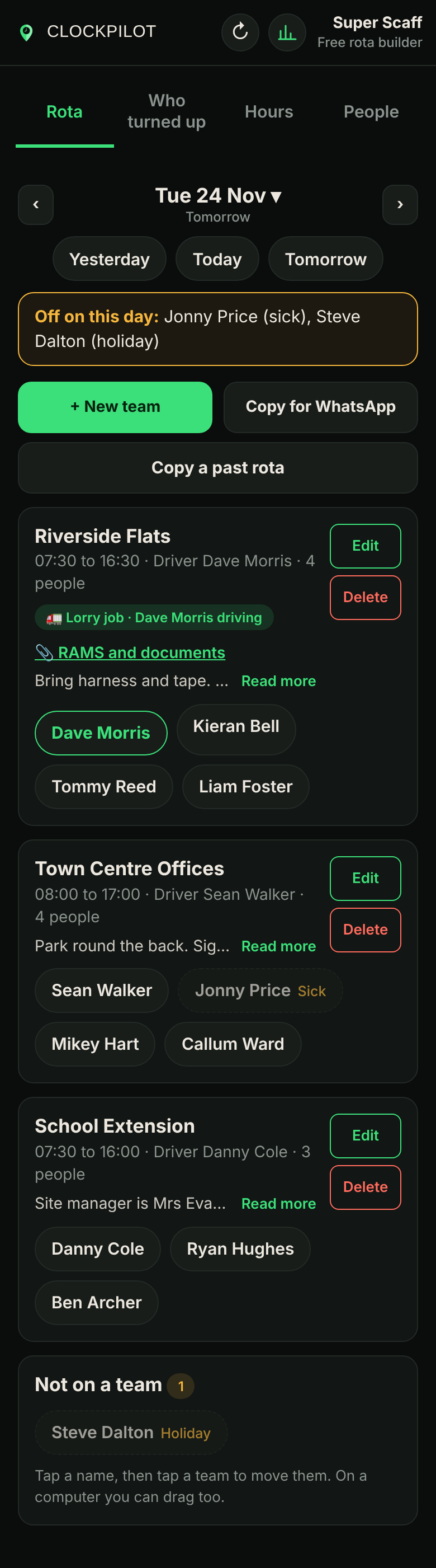
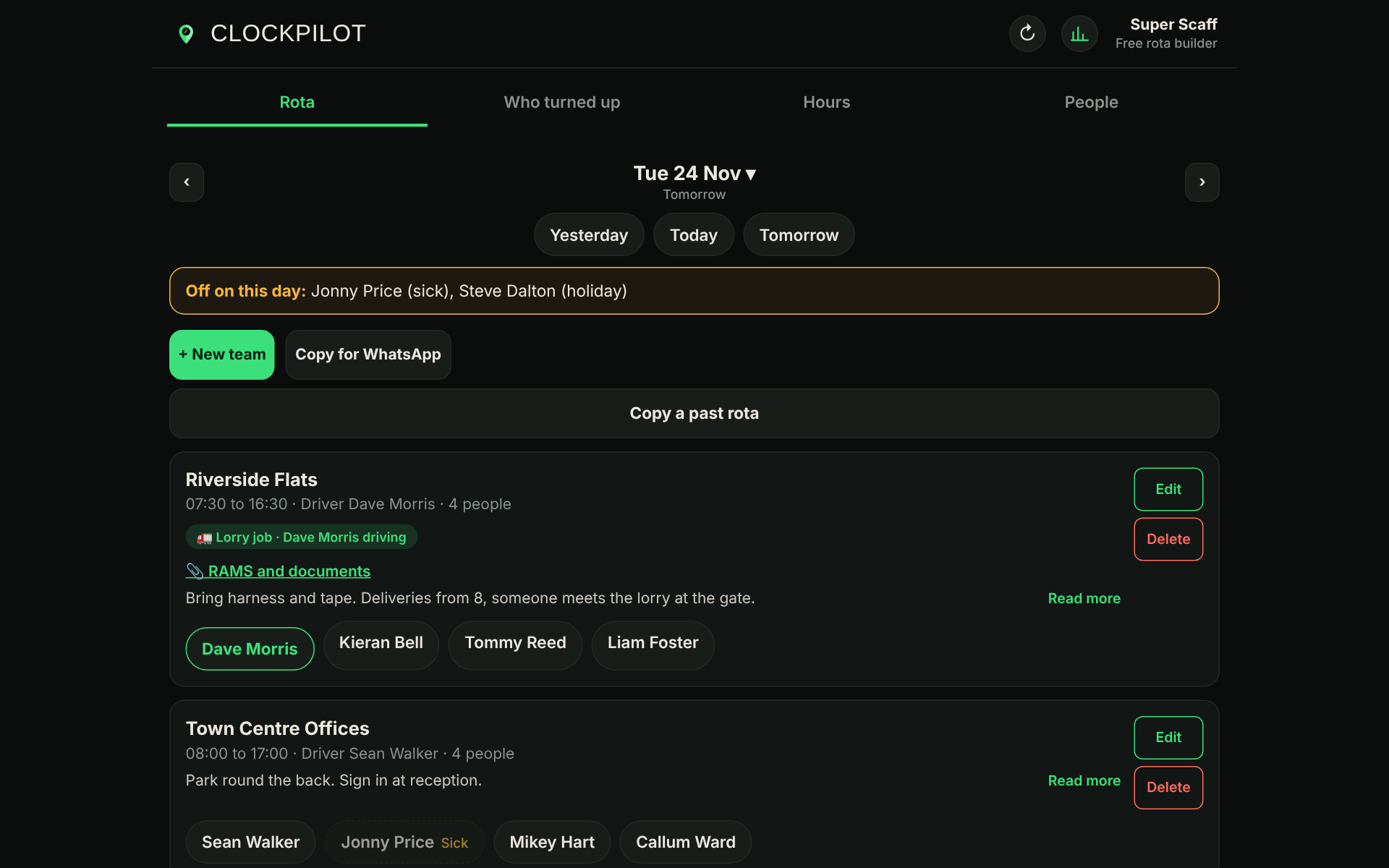
Built for the phone in the van. Fits a laptop screen too, so the office can use it. Screenshots are from an example company called Super Scaff.
How it works
I'm Thomas, a scaffolder in Cardiff. I built this free rota template and team scheduler for gaffers who plan their crews from the phone. Here are the steps, in the order you meet them.
Answer 6 quick questions
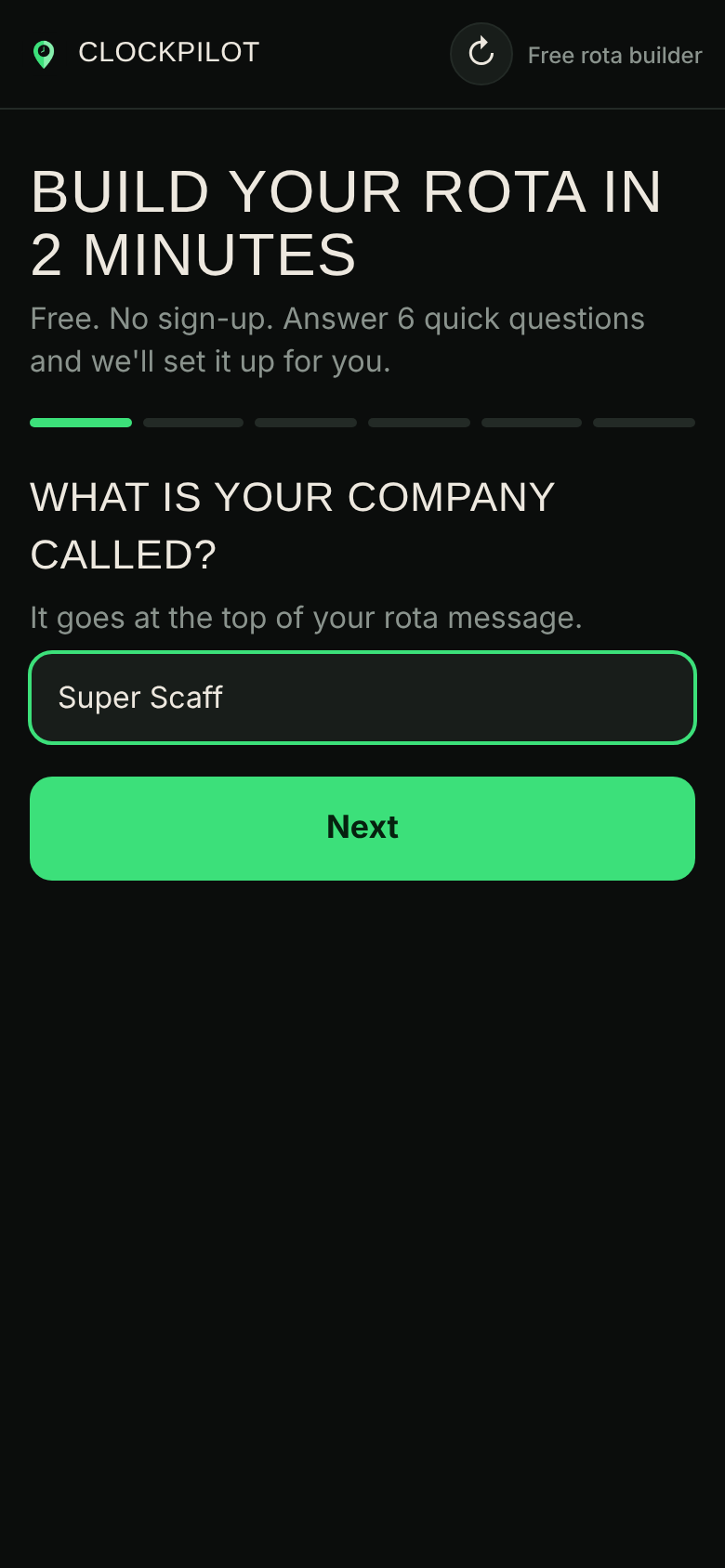
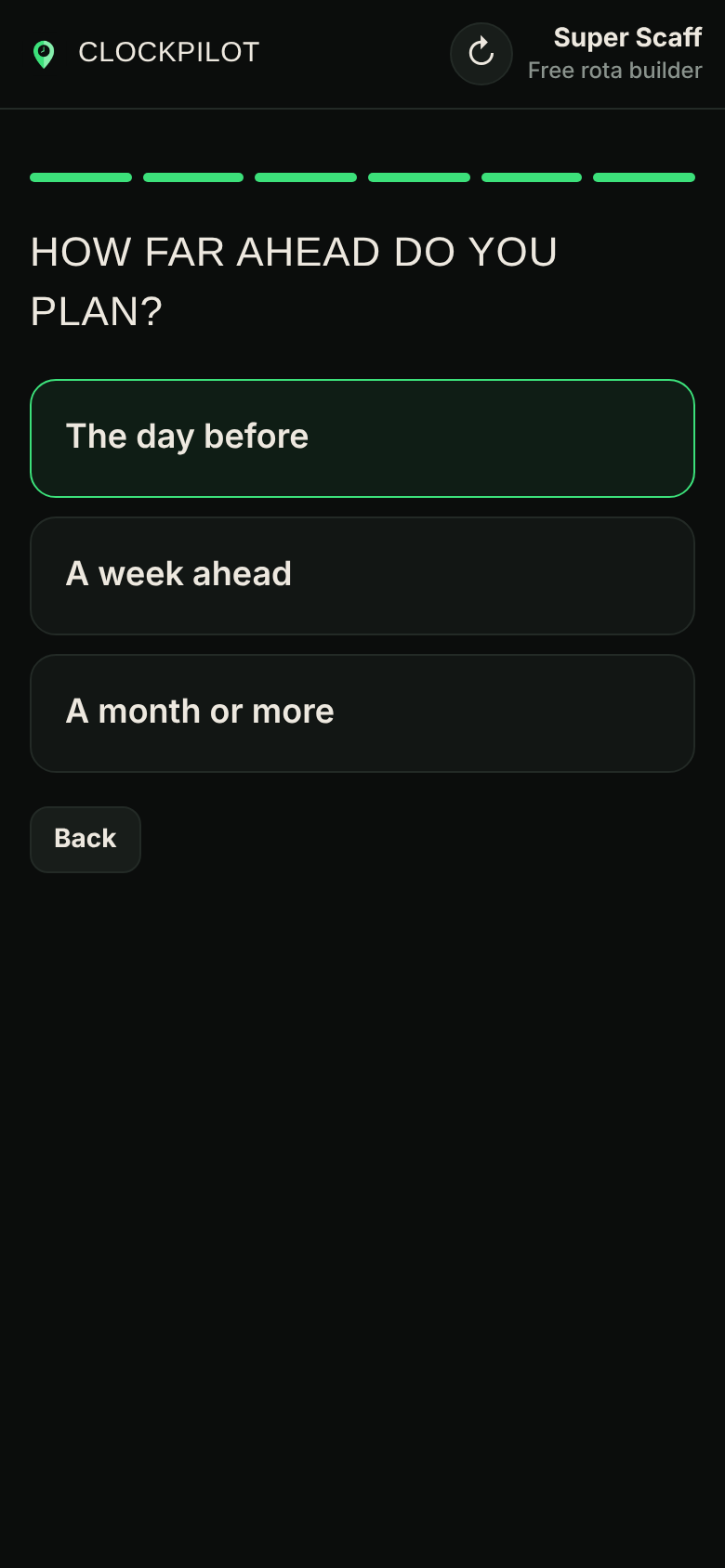
Your company name, how many lads, how many teams, the start time, whether you use drivers, and how far ahead you plan. Tap, tap, done. It sets up your rota from the answers.
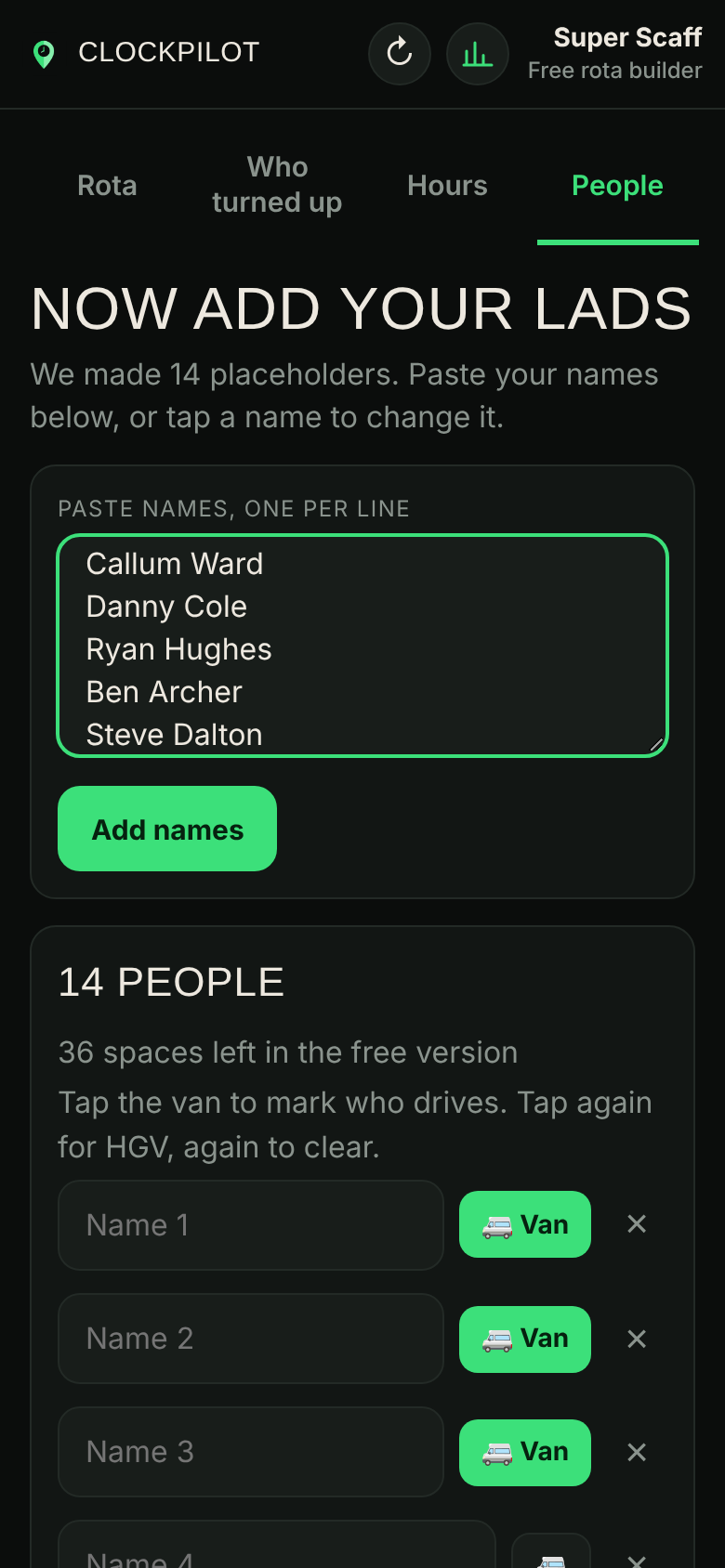
Paste in your lads' names
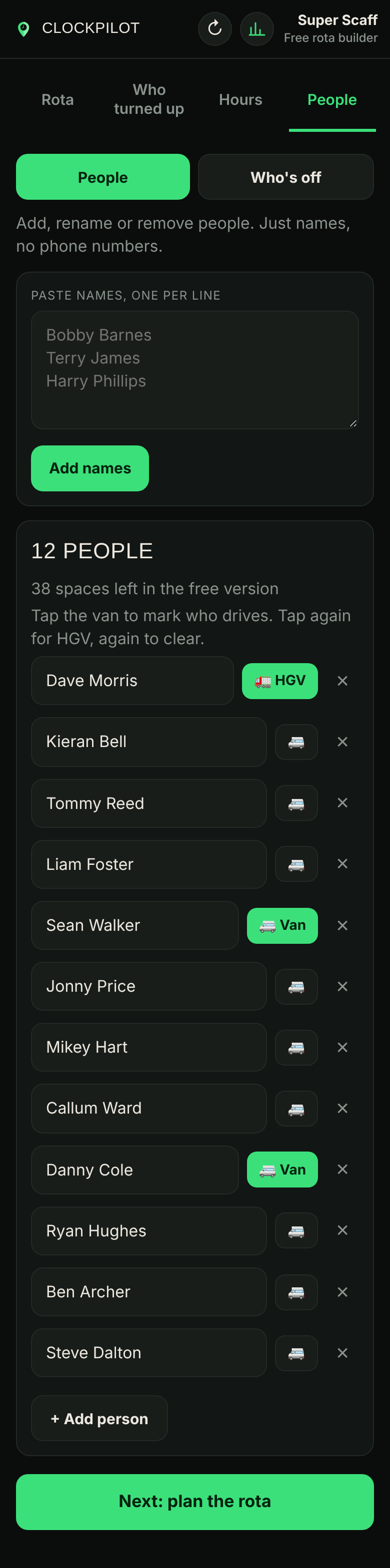
Got the names in a WhatsApp group or your notes? Paste them in, one per line. No spreadsheet needed. Add or remove people later on the People tab.
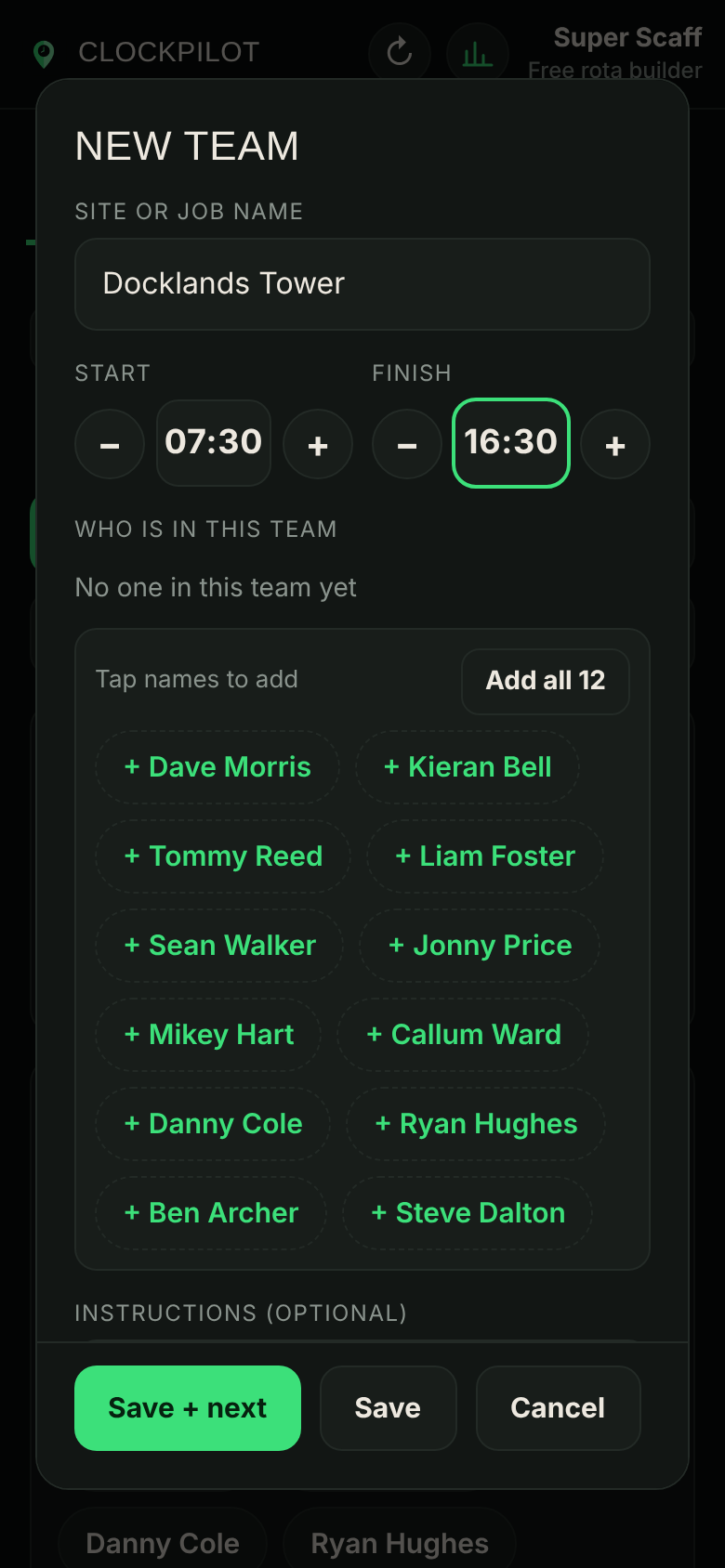
Add a team: tap the names
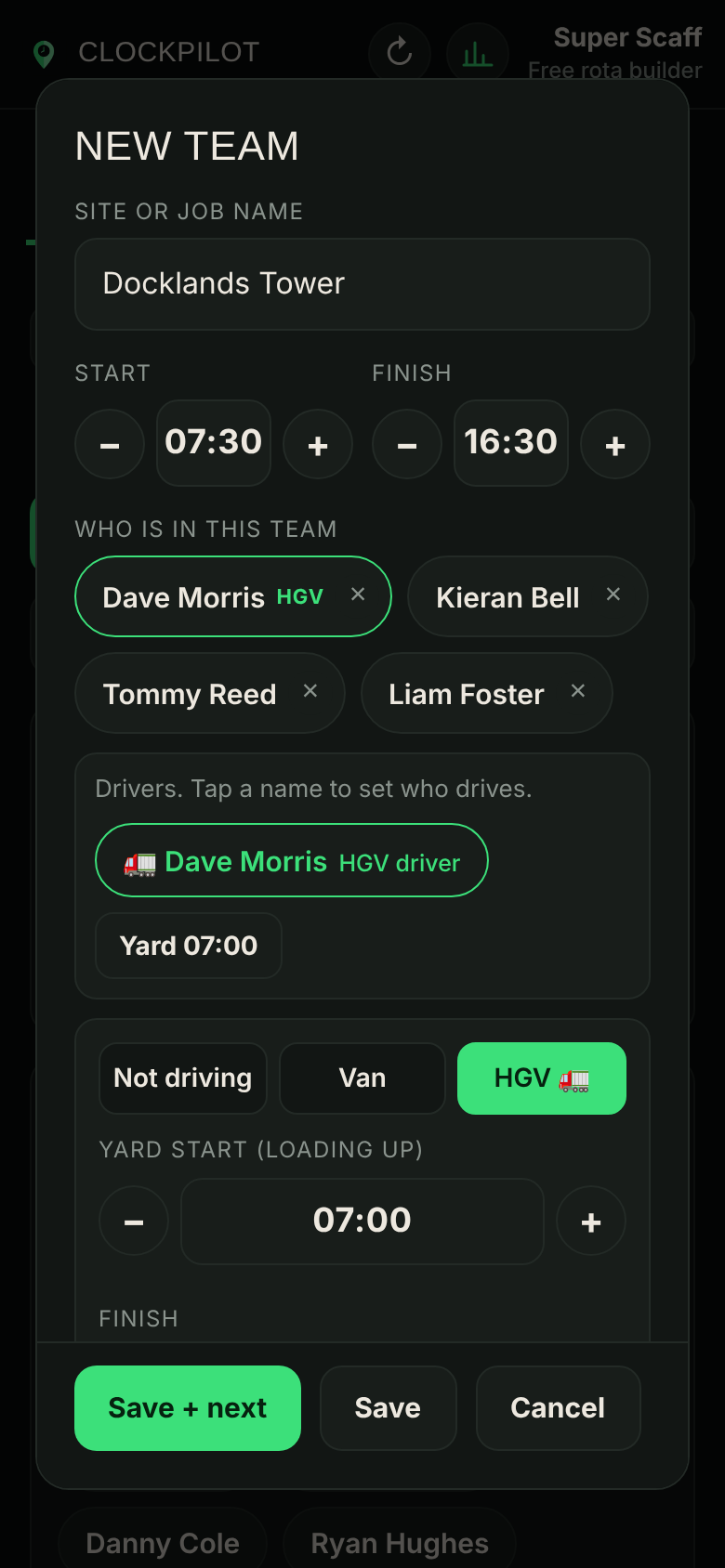
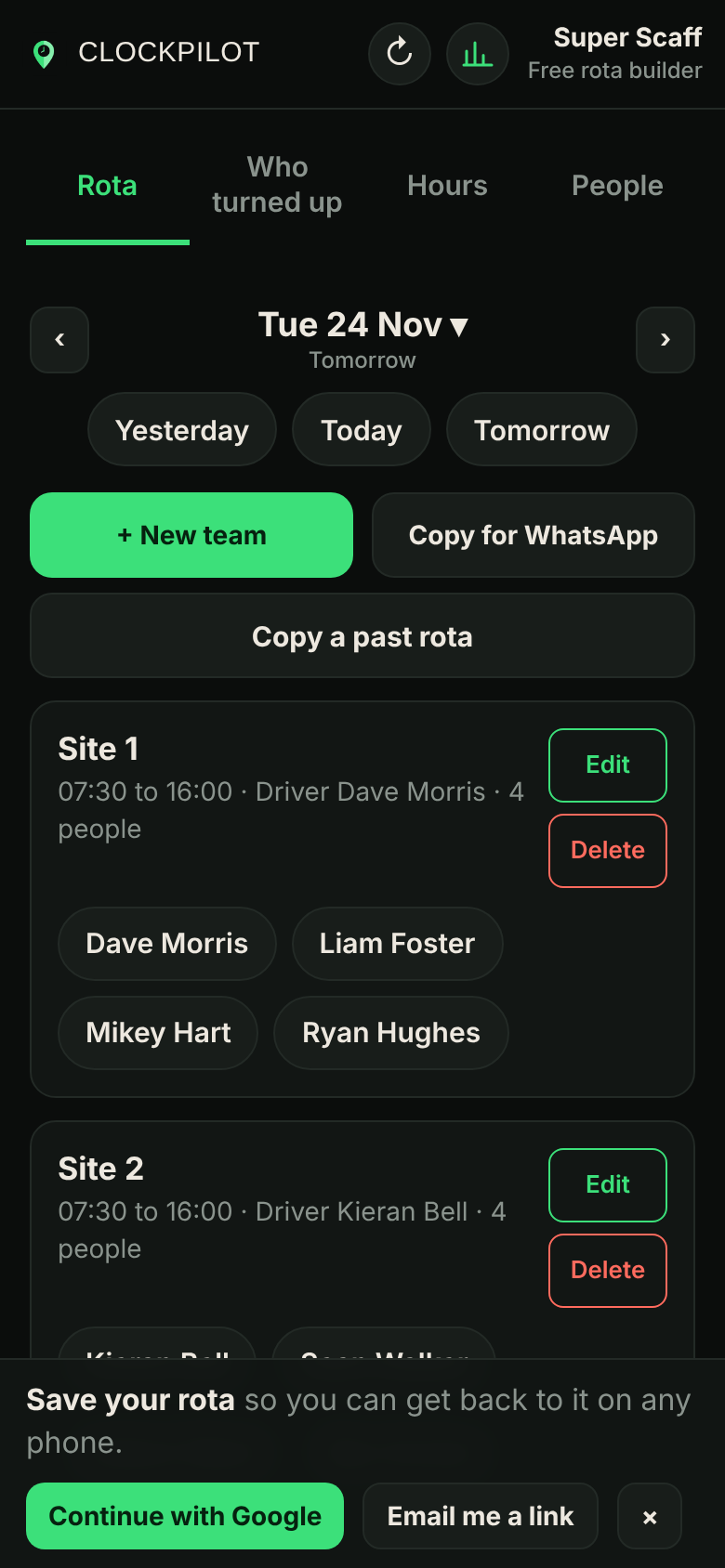
Tap New team. Give it the site, the start time and the finish time. Then tap names to add them, or tap Add all to put everyone in with one tap. Hit Save and next and the next team opens, so you can build the whole day without going back.
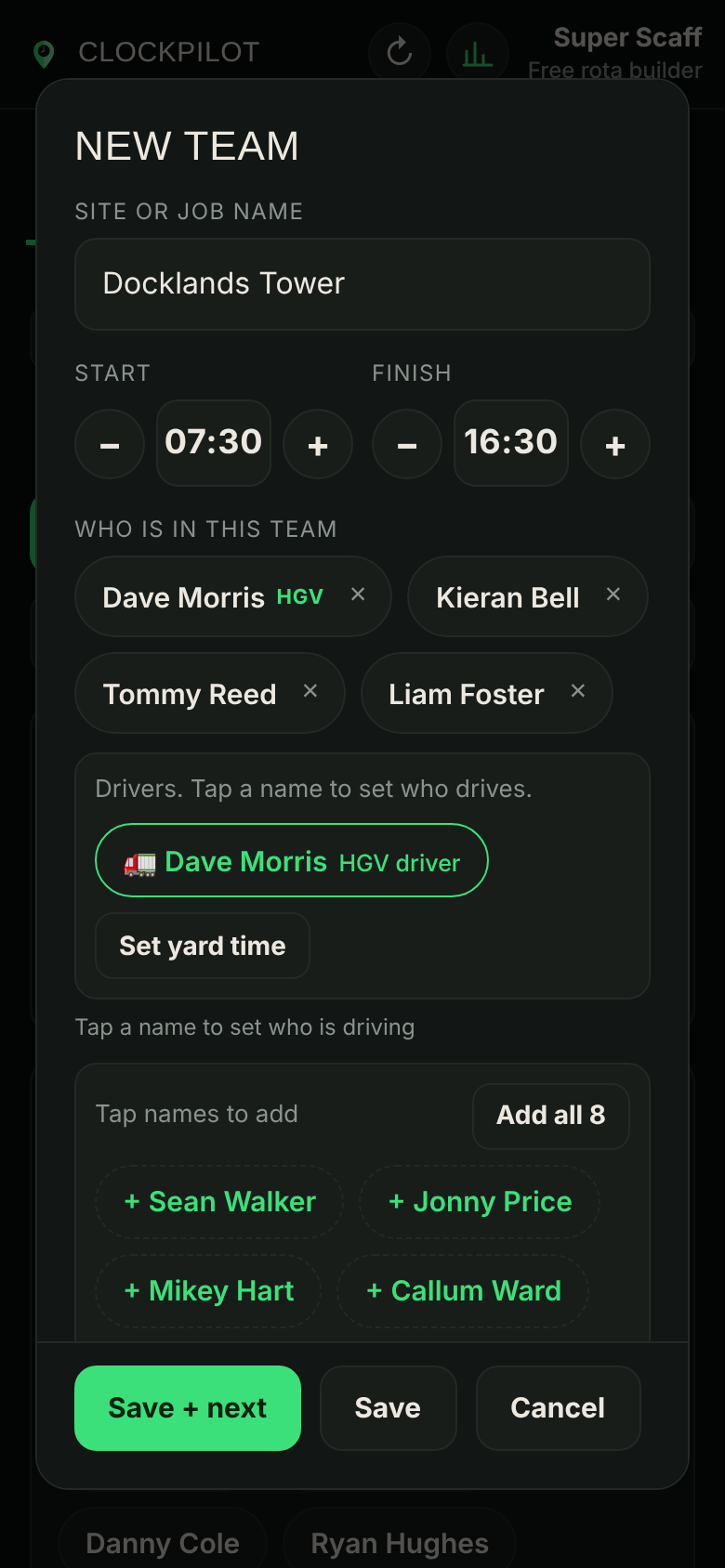
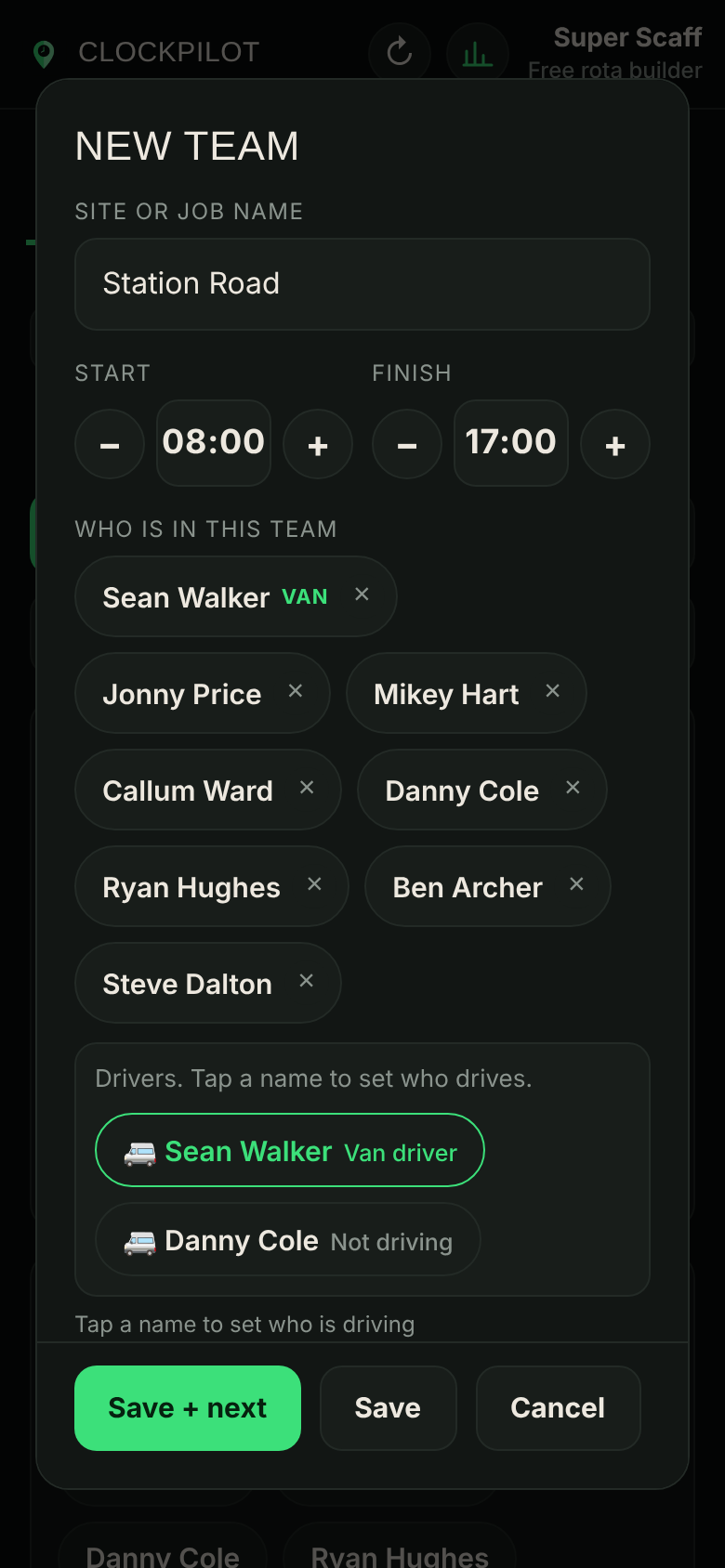
Sort the drivers: van and HGV
On the People tab, tap the van button next to a lad to mark him as a van driver. Tap again for an HGV driver. When you add a team, the driver is picked for you. The HGV driver can start earlier in the yard, to load up. Set the yard time and it goes in the message, so he knows to be there before the rest.
Your rota: teams and notes
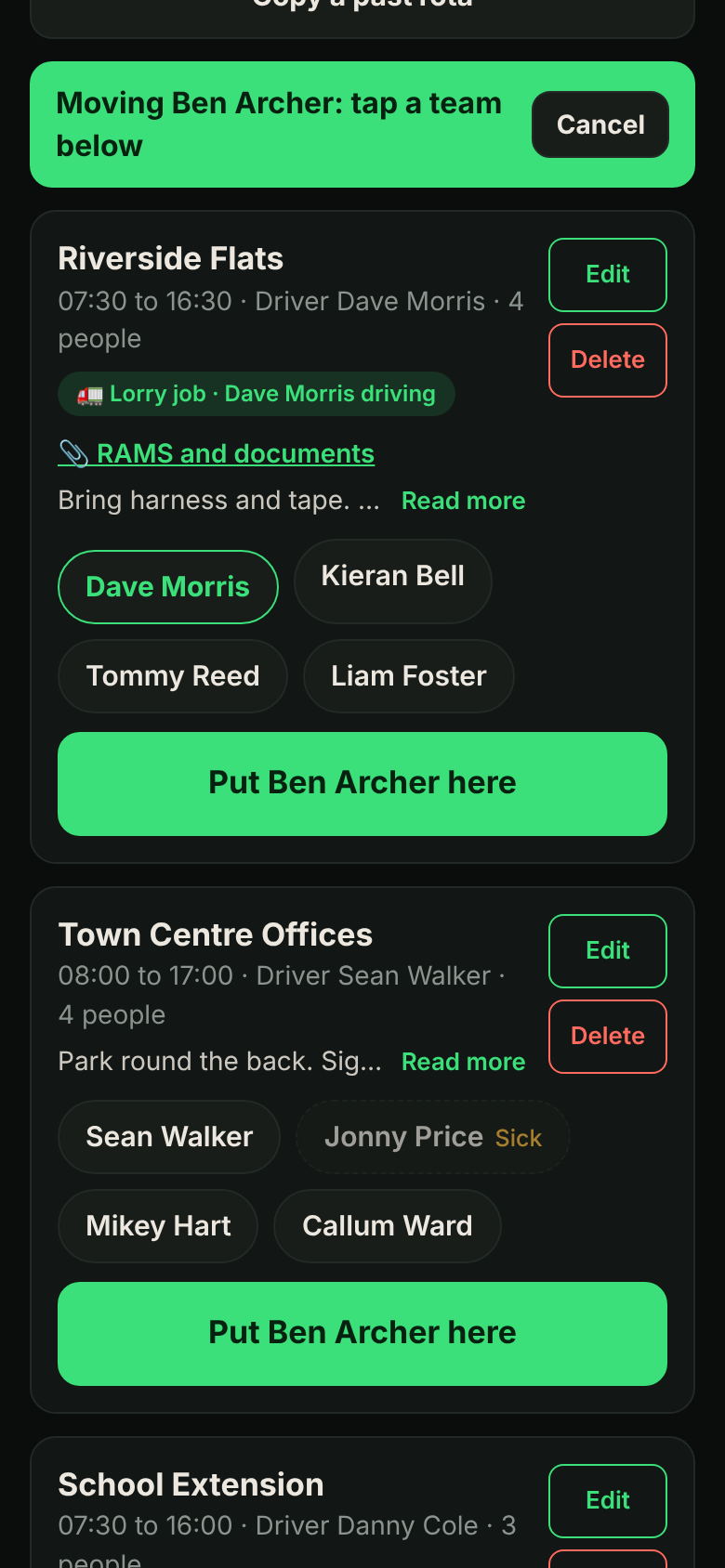
Every team shows the site, the times, the driver and the notes. Use the date bar to jump to any day, tomorrow or up to 6 months ahead. Need to move someone? Tap a name, then tap Put here on the team he is going to.
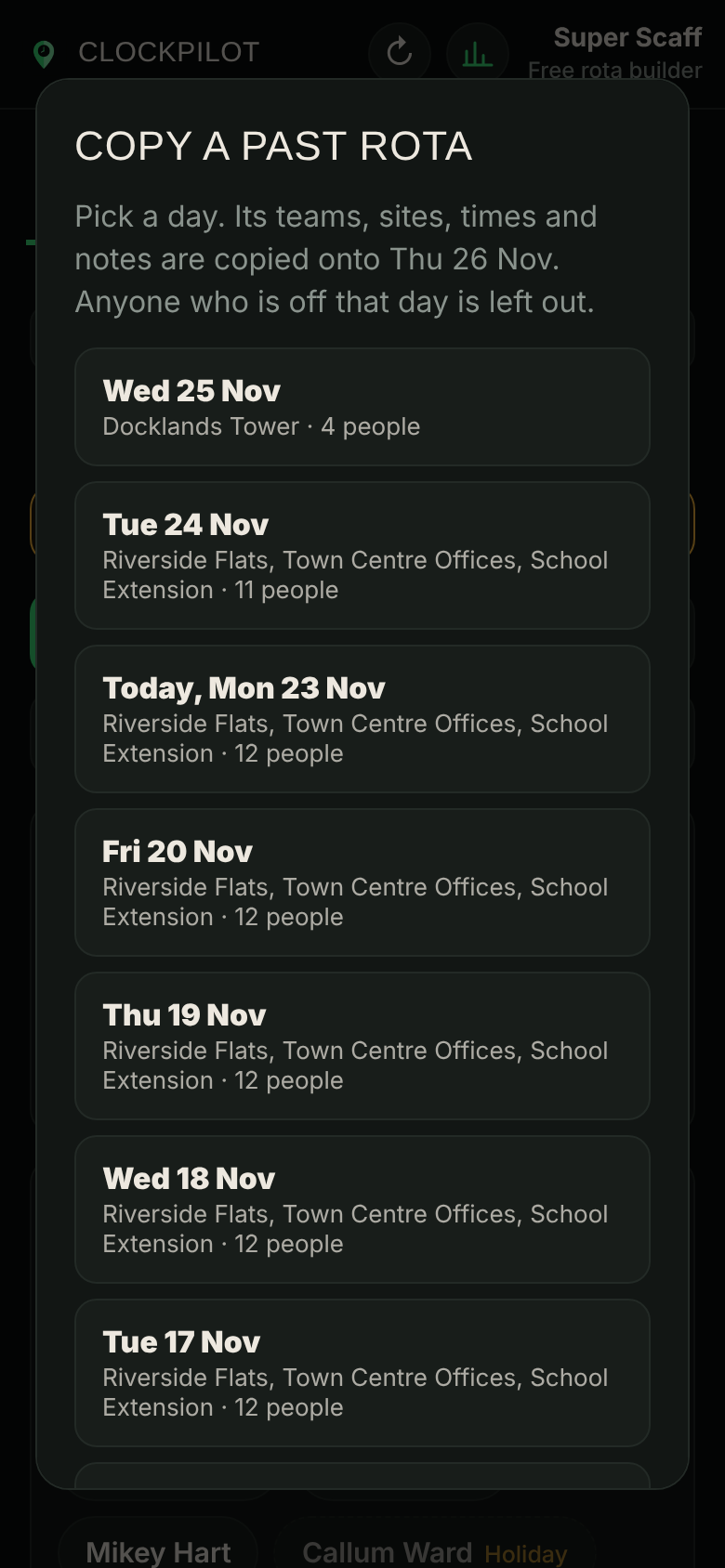
Copy a past rota
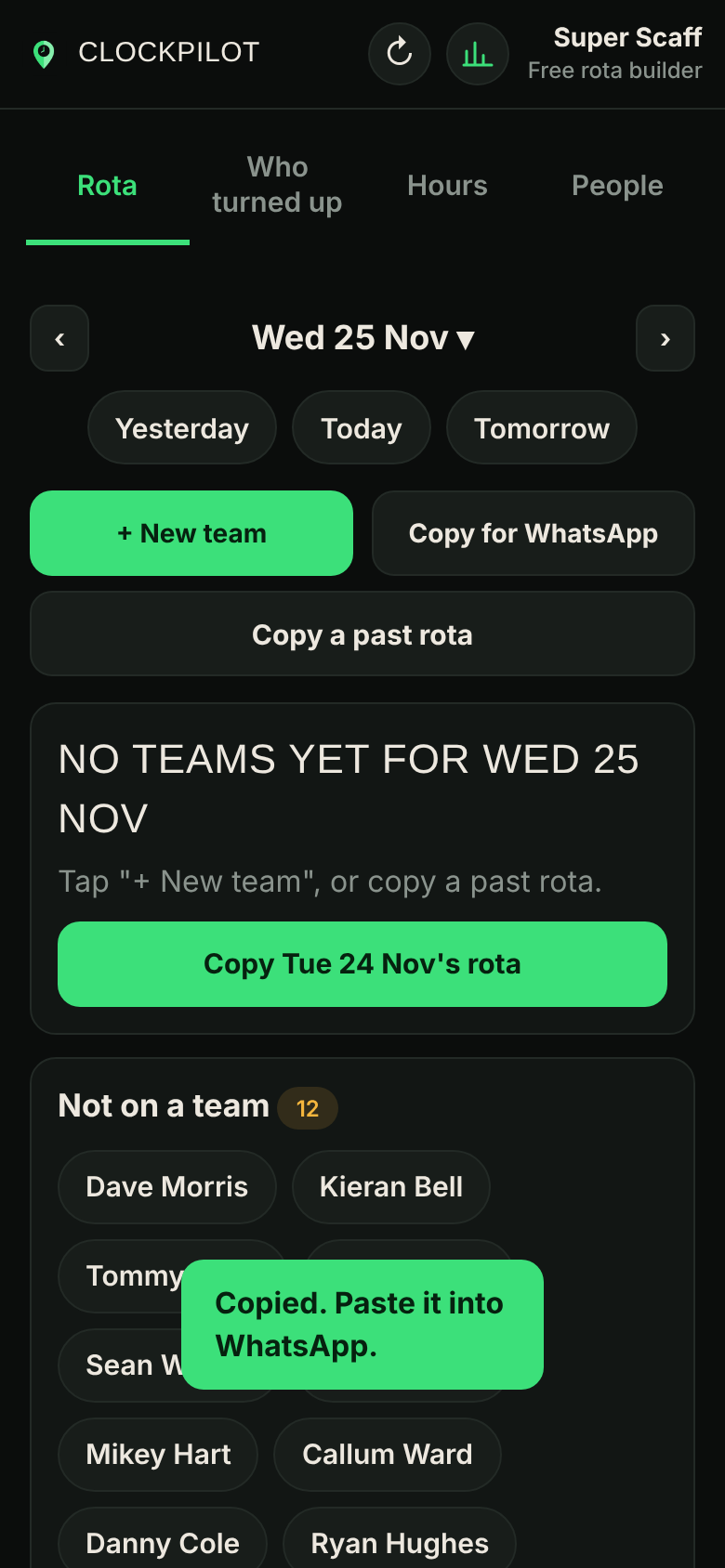
Most days look like yesterday. On an empty day, tap Copy a past rota, pick an earlier day and its teams, sites, times and notes come across in one tap. Anyone who is off that day is left out. It only copies onto today or a future date, so you can not mess up an old day.
See who is off
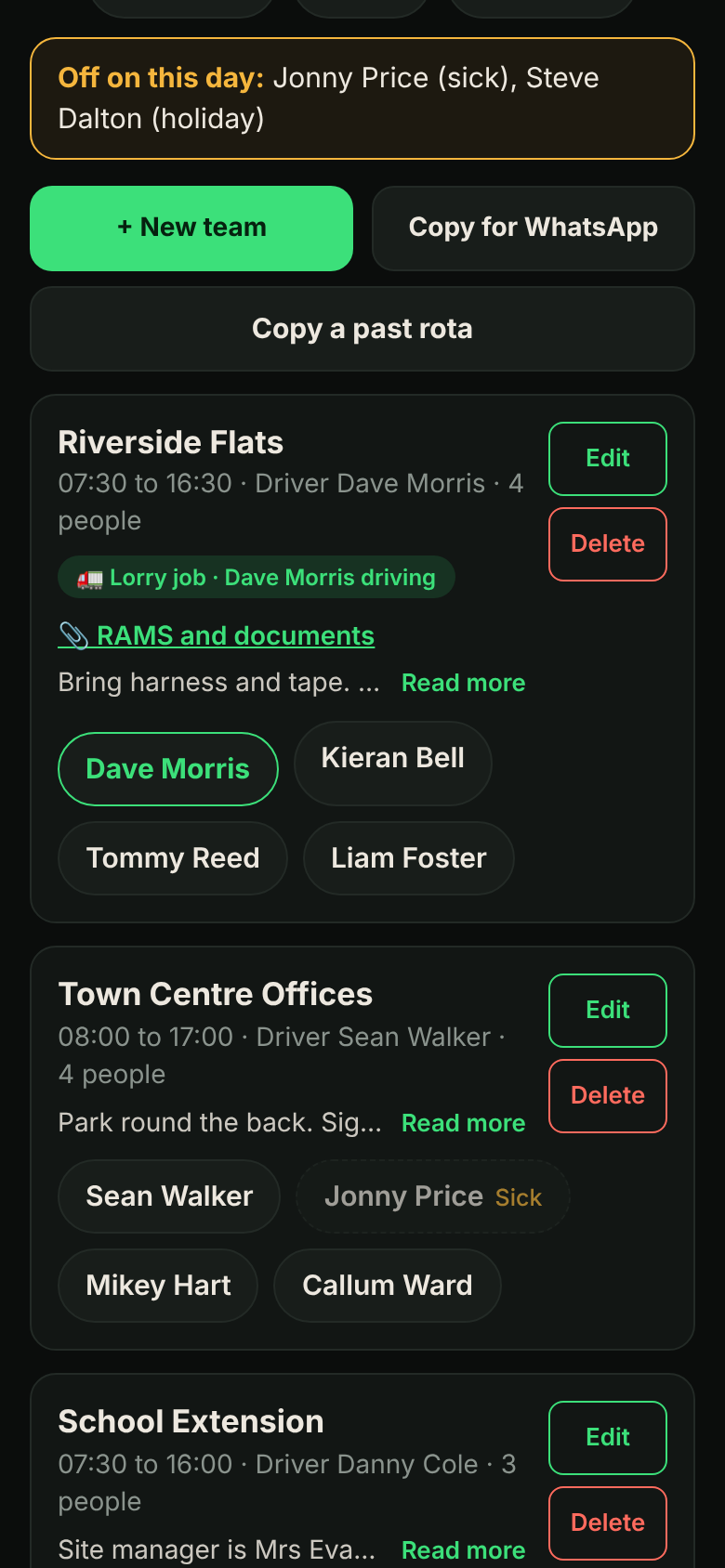
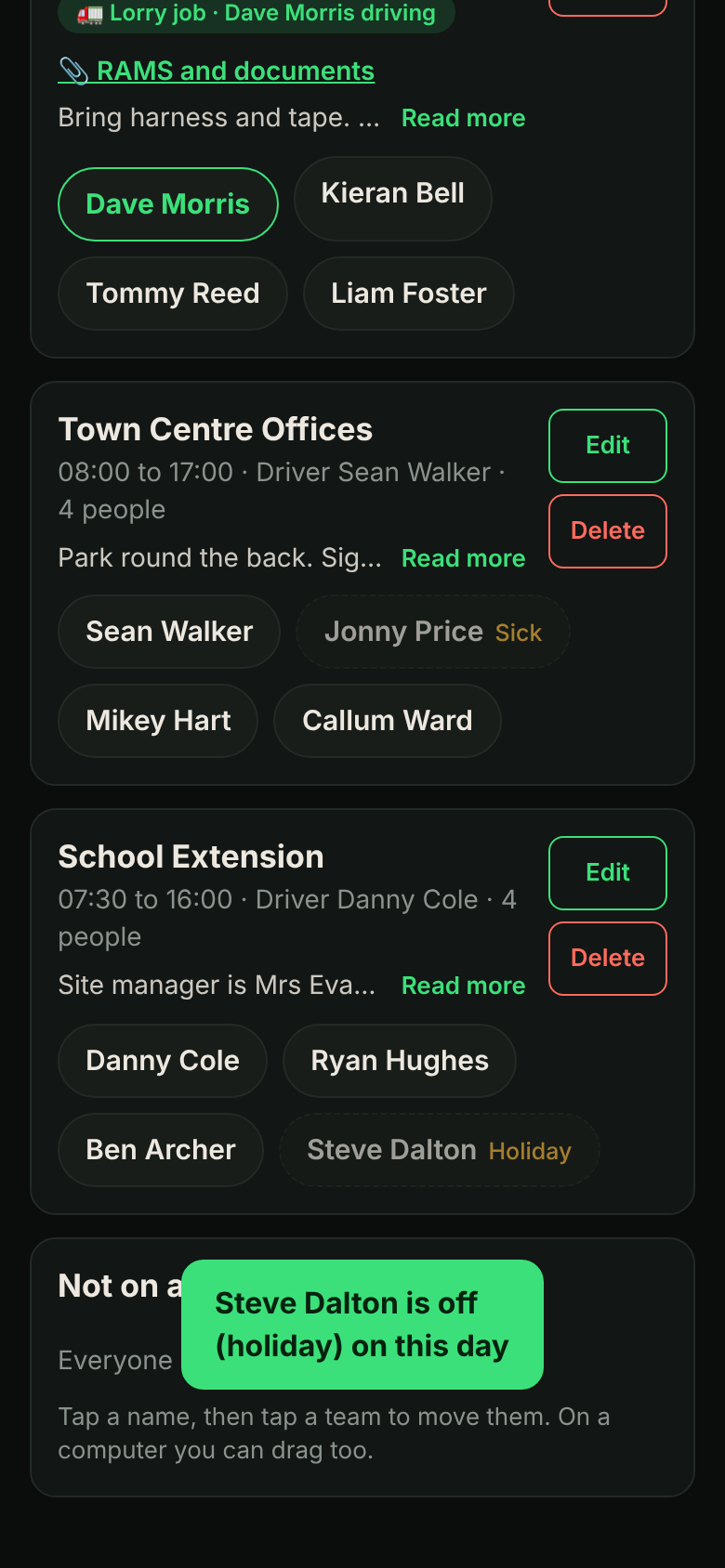
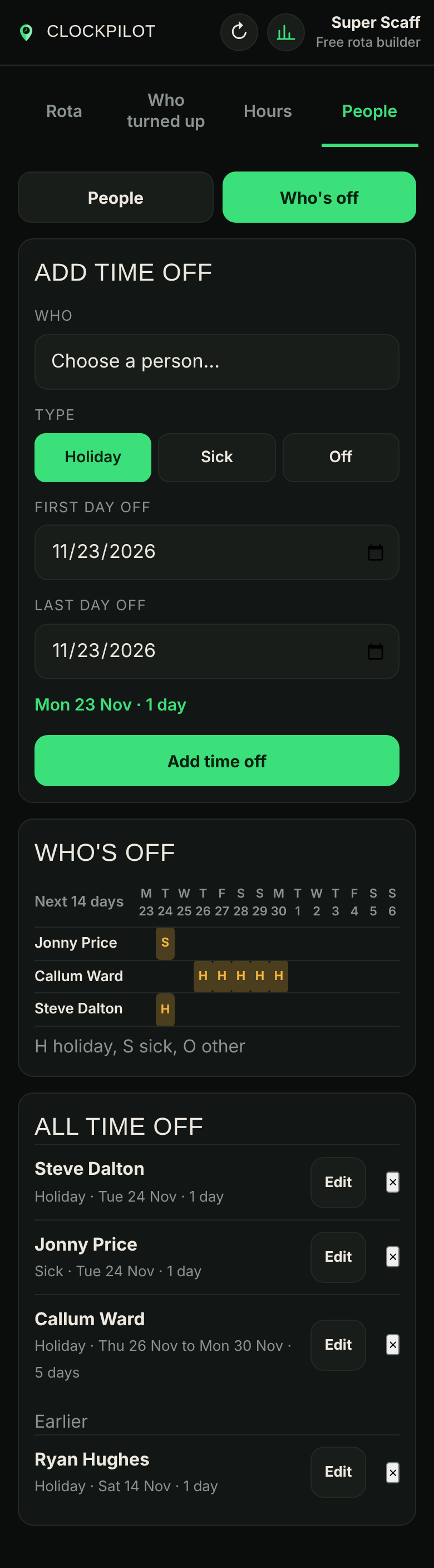
Put holidays and sick days in the Who’s off tab. Pick a date on the Rota tab and an amber box tells you who is away, with a Holiday or Sick tag on his name. Try to put him in a team and you get a warning. A 14 day table shows who is off and when, so you can plan ahead.
Send it on WhatsApp
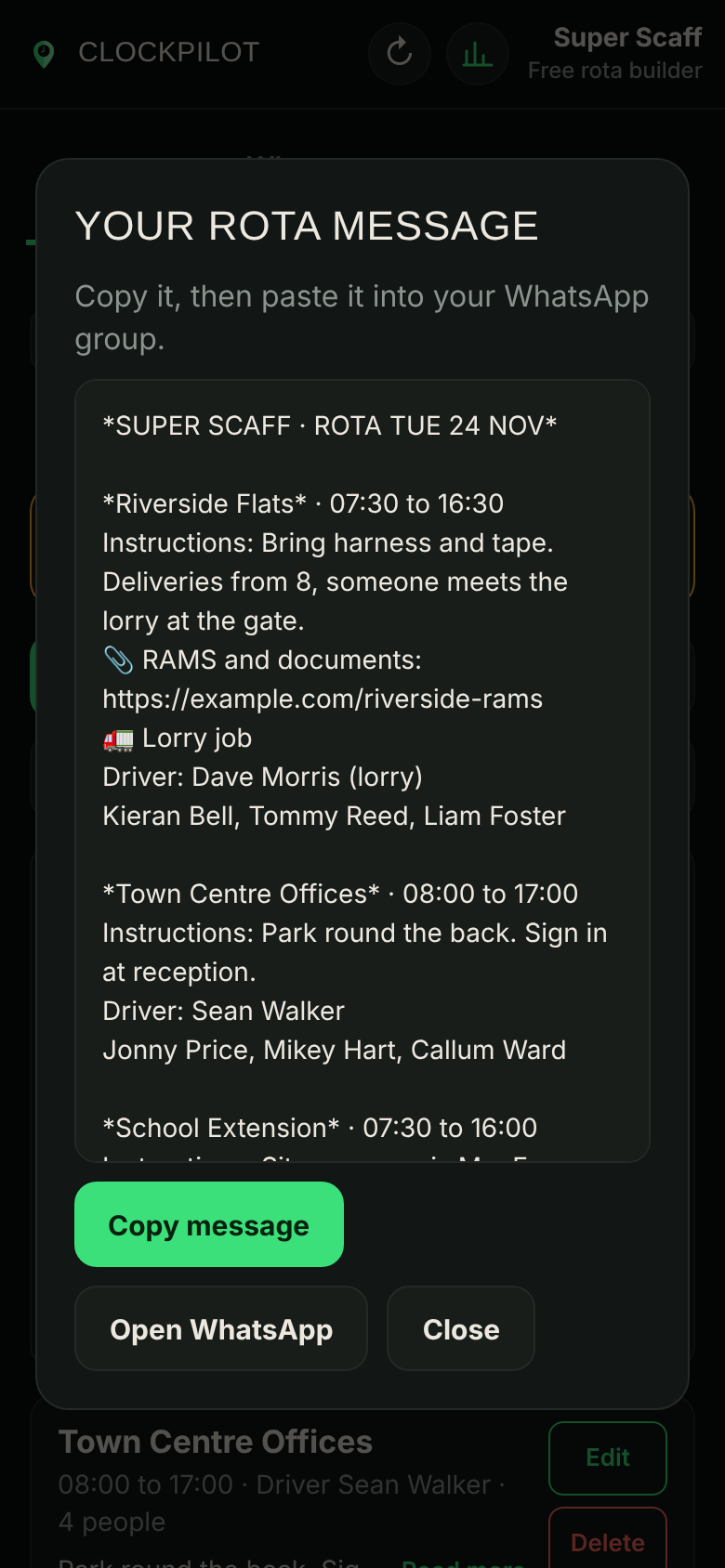
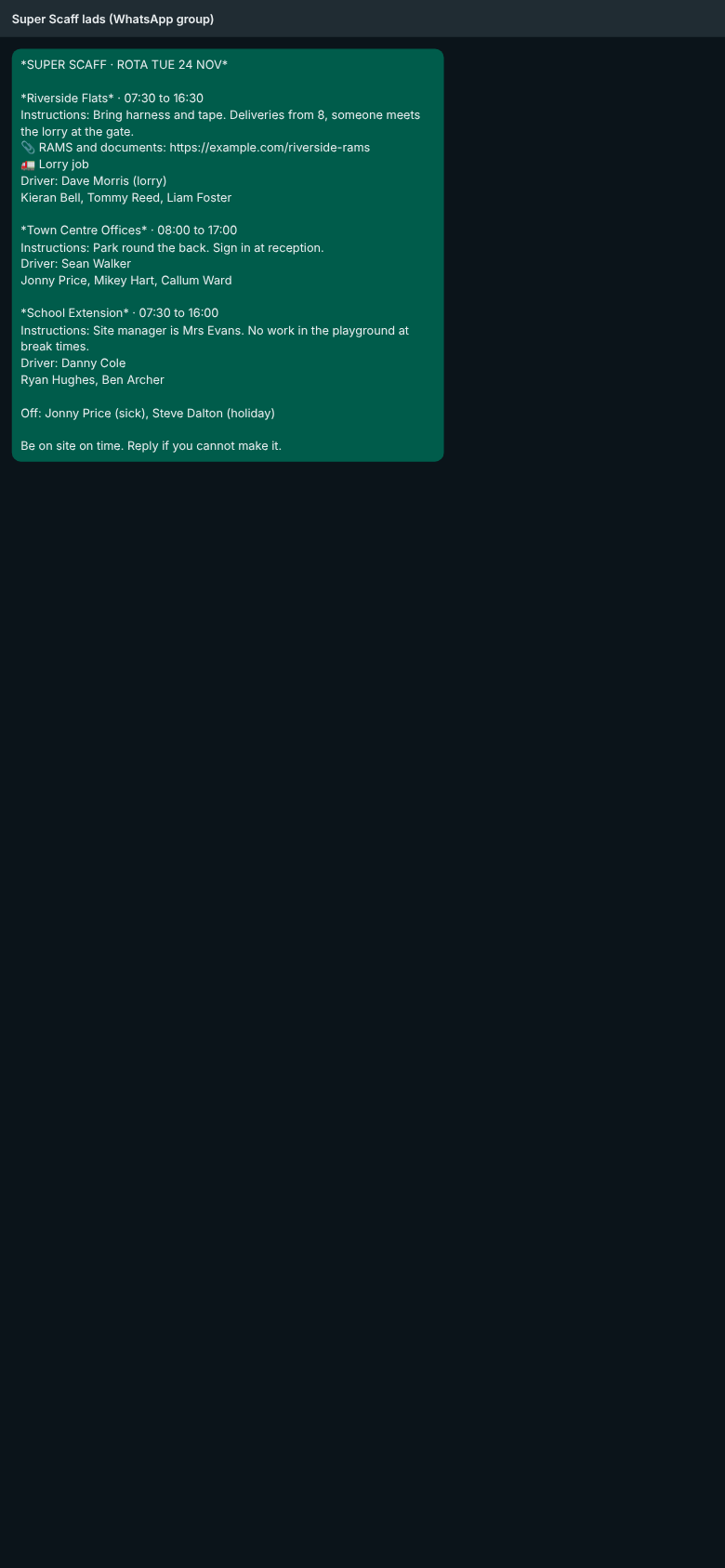
Tap Copy for WhatsApp. You get one clean message with every team, site, time, driver, yard time, instructions and link. Paste it into your lads’ group. It does not send anything by itself, so you stay in control of what goes out.
Mark who turned up
Everyone starts as turned up. Open a team and change anyone who was late, left early, did overtime or did not show. You can pick more than one, like late and overtime. Or just type the hours.

See the week's hours
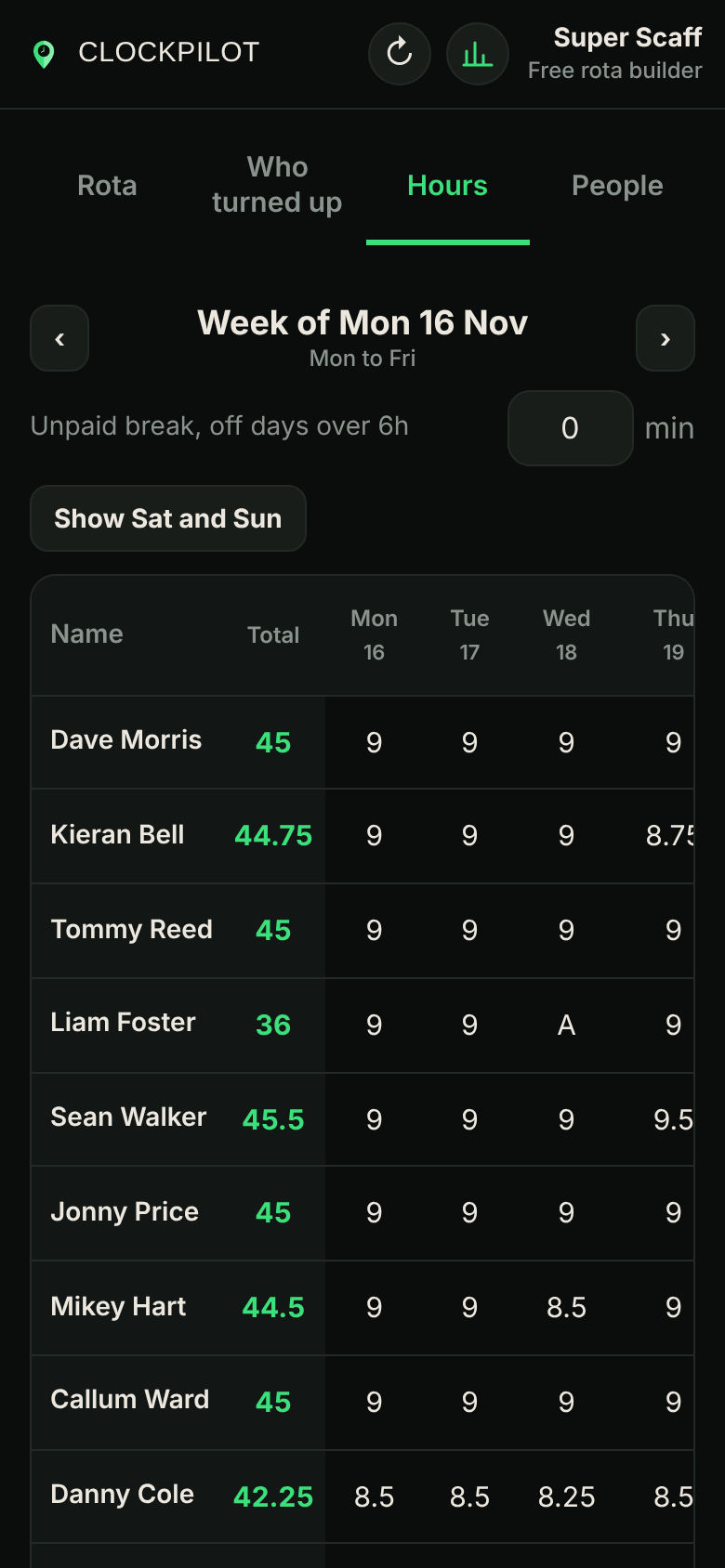
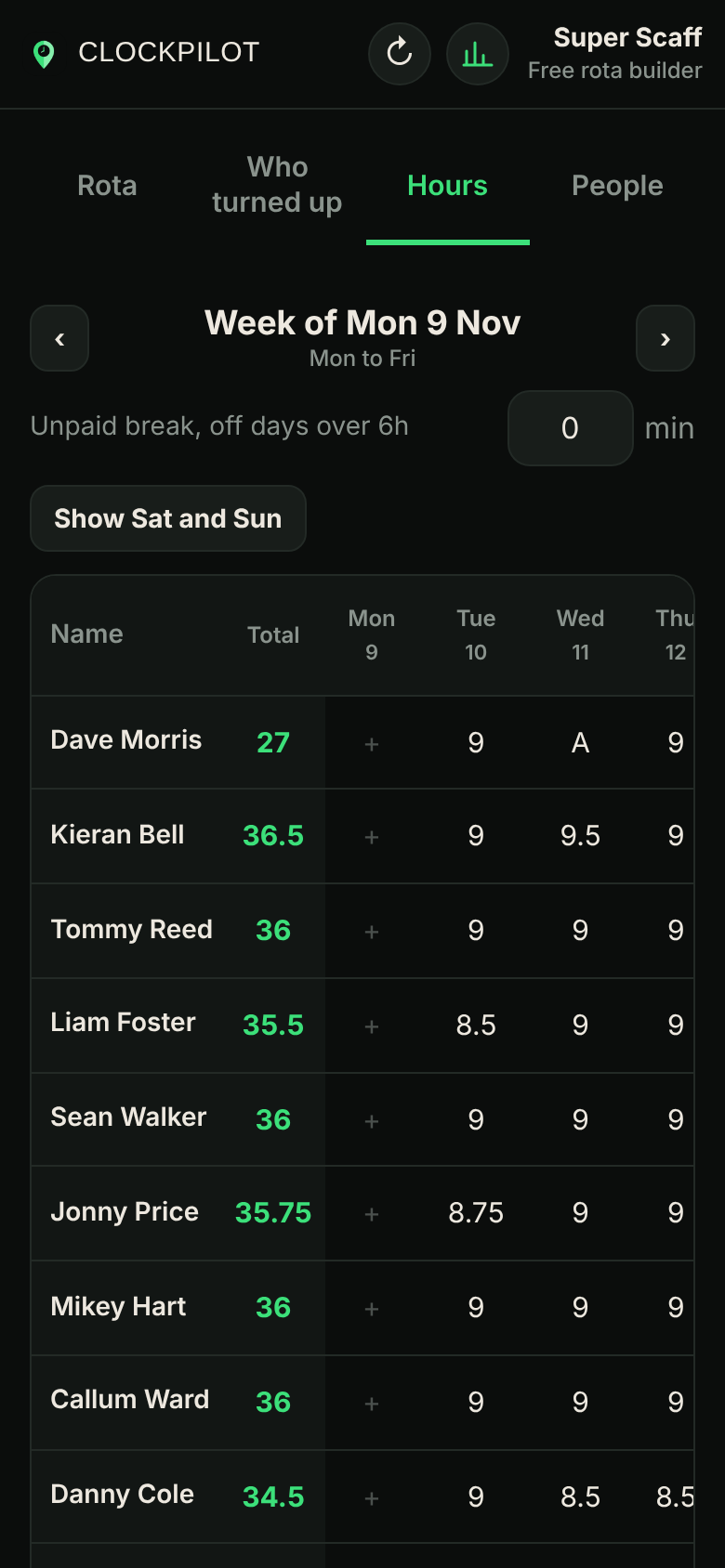
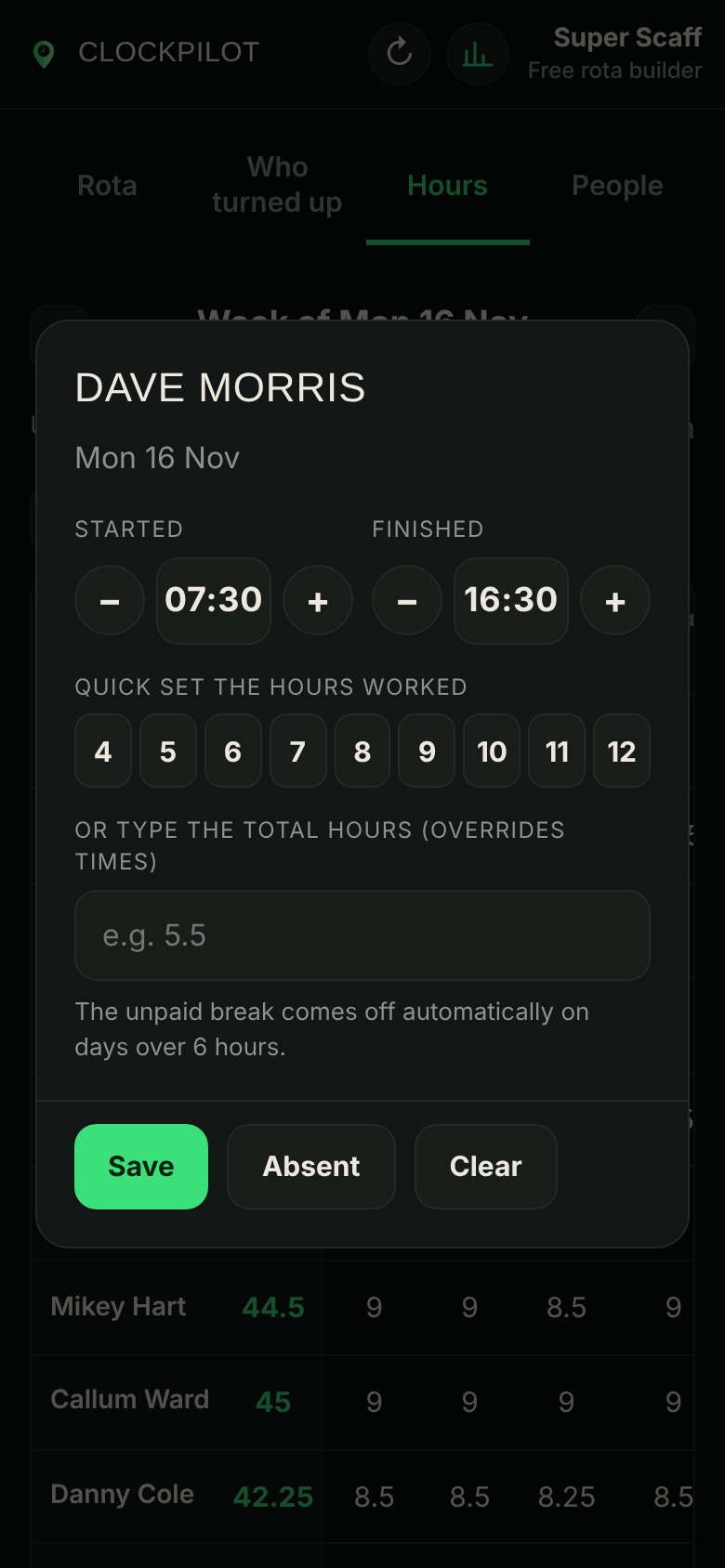
At the end of the week, each lad’s hours are added up for you. The unpaid break comes off on long days. Go back a week to check the last one. Got one wrong? Tap his day and change the start, finish or hours.
Reports for the office
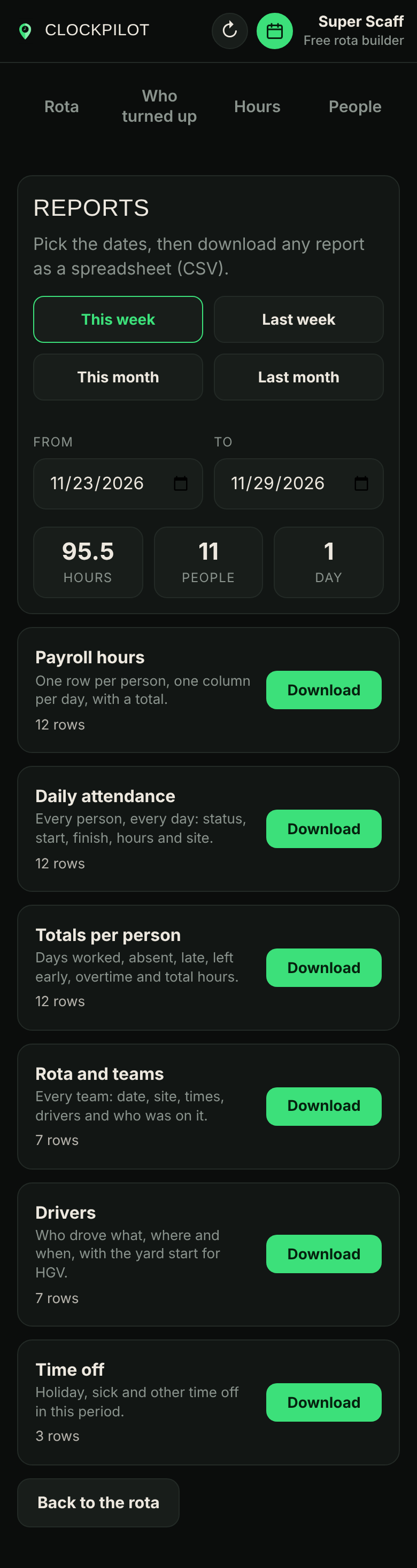
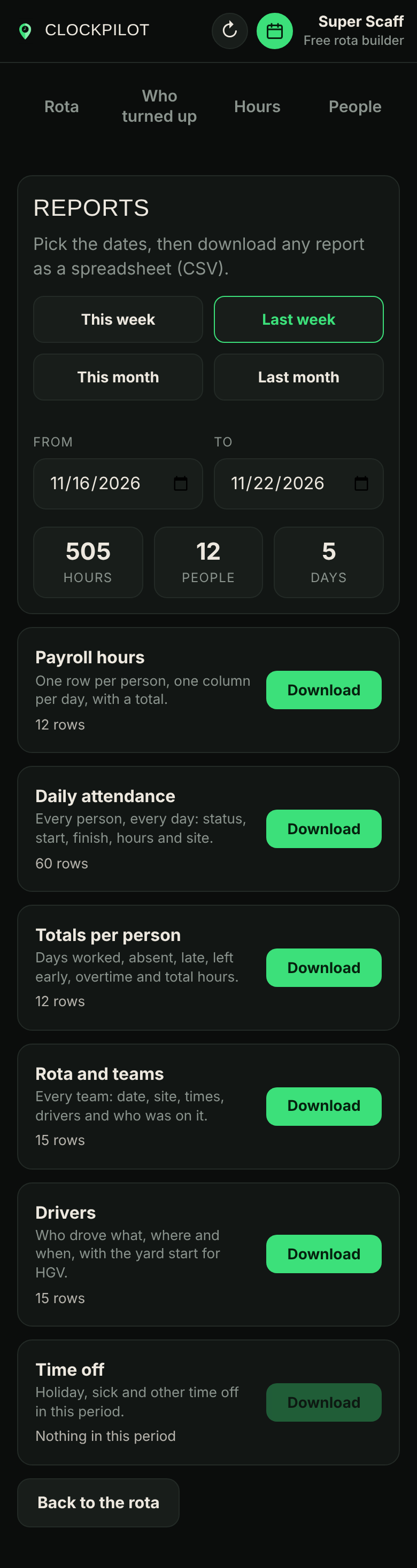
Tap the graph icon by the company name. Pick the dates, or tap This week, Last week, This month or Last month. Then download any of six reports as a spreadsheet: Payroll hours, Daily attendance, Totals per person, Rota and teams, Drivers, and Time off. The office can pull everyone’s hours at the end of the week without chasing anyone.
Payroll hours in a spreadsheet
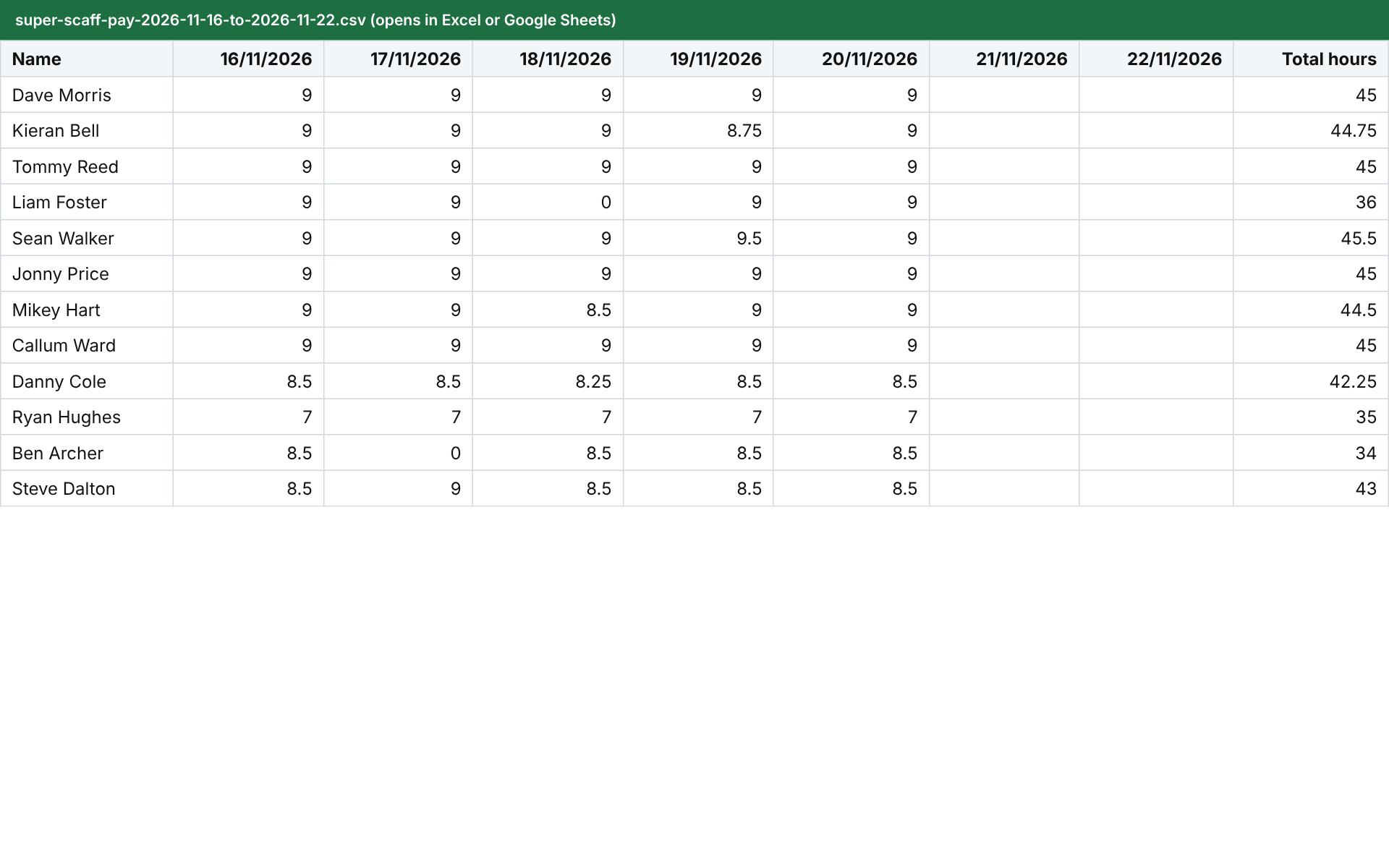
The Payroll hours report gives you one row per person, one column per day, with a total. Open it in any spreadsheet. This picture is an example of what the file looks like.
Save it, if you want
You do not have to sign up. Open it and build. If you want to get back to your rota later, or open it on another phone, use the Save your rota bar: continue with Google or get an email link. Saving is optional.
Read this first. The free version holds up to 100 people. Bigger firms need the paid ClockPilot plan. Saving is optional: save your rota by email or Google if you want to keep it safe. It does not send WhatsApp messages by itself either. You copy the message and paste it in.
Want WhatsApp to do it for you?
The free rota builder is the quick way to plan. If you want it done automatically, that is the paid ClockPilot. Each lad gets his own times on WhatsApp. They send a location pin to clock in and out. Anyone running late gets a nudge. Hours fill in on their own.
See ClockPilot pricing Get in touchQuestions
Is it really free?
Yes. The rota builder is free to use. There is nothing to pay and no trial that runs out. The free version holds up to 100 people. Bigger firms need the paid ClockPilot plan.
Do I need to sign up?
No. There is no sign-up. Open it and start building. You can save your rota by email or Google if you want to get back to it on another phone, but it is optional.
Does it work on my phone?
Yes. It is made for phones first, so you can build your rota from the van or the yard. It fits a laptop screen too. You do not have to sign up. To keep your rota safe, or open it on another phone, save it by email or Google.
Can I track holidays?
Yes. Add the days a lad is off in the Who's off tab. An amber box shows who is off on the day you pick, and you get a warning if you put him in a team. A 14 day table shows who is off and when.
Can I plan van and HGV drivers?
Yes. Mark each lad as a van or HGV driver on the People tab. The driver is picked when you add a team, and the HGV driver can have an earlier yard start for loading up. It all goes in the WhatsApp message.
Can I copy yesterday's rota?
Yes. Tap Copy a past rota, pick an earlier day and its teams come across. It only copies onto today or a future date. Anyone who is off that day is left out.
How far ahead can I plan?
Up to 6 months. Use the date bar to pick any day, build its teams, and copy a past rota onto it to save time. It is not just for tomorrow.
Can I download hours for payroll?
Yes. Tap the graph icon by the company name, pick the dates and download the Payroll hours report as a spreadsheet. There are five more reports: Daily attendance, Totals per person, Rota and teams, Drivers and Time off.
Want to read more? Have a look at all my free guides, timesheets for scaffolders, WhatsApp for construction firms or how to cut your wage bill without docking hours.